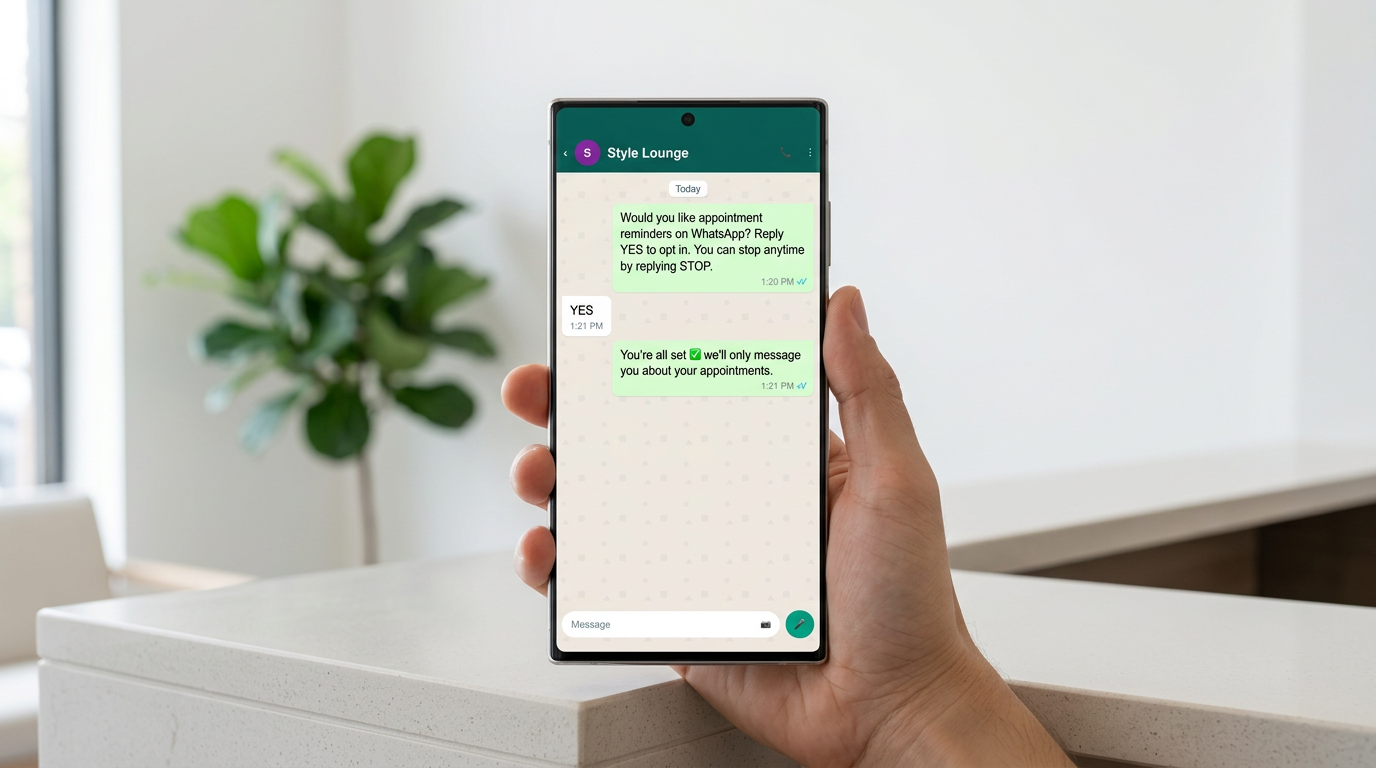
<p>A clinic manager forwards us a screenshot mid-morning. It is a WhatsApp message from a number that looks almost exactly like the clinic's, using the clinic's logo as a profile picture, offering a patient a discounted package and asking for a deposit transfer. Patients have started asking reception whether the offer is real. Some have gone quiet on the clinic's actual appointment reminders because they are no longer sure which number is which.</p> <p>The clinic did nothing wrong. It just had no visible way of proving, inside the chat window, that it was itself. That is the commercial argument for the green tick, and it comes up in almost every onboarding call we run with a UAE business that has grown past word of mouth.</p> <h2>Clearing up the naming problem before anything else</h2> <p>People search for the Meta verified green tick on WhatsApp as if it were one product. It is two, and knowing which one you want saves you weeks.</p> <p>The green tick is the Official Business Account (OBA) badge. It sits next to your display name in the chat list and inside the conversation, and it signals that Meta has reviewed the business and considers it authentic and notable. It is <a href="https://setsmart.io/blog/whatsapp-green-tick">only available on the API</a>, not on the free WhatsApp Business app, and it is granted by manual review, not purchase. Meta Verified is the newer badge, described as <a href="https://jestycrm.com/blog/whatsapp-green-tick-vs-blue-tick-whats-the-difference">the blue tick</a>, with wider accessibility across Meta platforms and its own eligibility rules: an eligible business must be 18+, have a complete profile with name and photo, be active, and operate in a supported country. The supported-country list named in that source includes India, Brazil, Indonesia and Colombia, so before you plan around Meta Verified, open your own Business Manager and check what is actually offered to your account.</p> <p>Two facts to settle up front, because they change the plan:</p> <ul> <li><strong>The green tick is free.</strong> It costs nothing to apply. It <a href="https://whatsable.app/blog/what-is-a-whatsapp-verified-business-account">requires manual review by Meta</a>, not a subscription payment. Anyone offering to sell you one is selling you something else.</li> <li><strong>You do not apply to WhatsApp.</strong> You apply <a href="https://getkanal.com/blog/whatsapp-business-verification-green-tick">through Meta Business Manager</a>, and the OBA request itself is submitted from your WhatsApp Business API platform.</li> </ul> <p>The badge is worth having because it <a href="https://whatsable.app/blog/what-is-a-whatsapp-verified-business-account">appears across touchpoints</a> including profiles, calls and context cards, so it does its work before anyone opens the thread. The rest of this piece is the sequence in the order it actually runs.</p> <div style="text-align: center; margin: 40px 0;"><img src="https://cdn.prod.website-files.com/684beacd28580a64ea747786/6a7cf568a6f261aef1319379_Digital_Inline_Green_RGB_2026.png" alt="WhatsApp Business" style="max-width: 400px;"></div> <h2>Getting your Meta Business Manager into reviewable shape</h2> <p>Business Verification, the grey check, <a href="https://getkanal.com/blog/whatsapp-business-verification-green-tick">comes first</a>. Your account also has to be connected to a <a href="https://blog.omnichat.ai/whatsapp-green-to-blue-tick">verified Meta Business Manager</a> with a complete WhatsApp Business profile carrying the correct name, phone number and website. It is a documents exercise, and it is where UAE businesses stumble for reasons that have nothing to do with Meta and everything to do with how trade licences and trade names drift apart over time.</p> <h3>Making the legal name match everywhere</h3> <p>Meta compares the business name in your Business Manager against your legal documents. In the UAE, the name on a DED or free zone trade licence is frequently longer and stranger than the name on the shopfront. A salon trading as one word may be licensed as a three-word LLC. A clinic may hold its facility licence under a holding entity name.</p> <p>Put the legal name in the legal name field, exactly as printed, suffix included. Your customer-facing name goes in the display name later, at the WhatsApp account level, where a difference is expected and permitted as long as it is a recognisable brand name. Confusing those two fields is the most common reason a UAE verification bounces back to us.</p> <h3>The documents that actually clear</h3> <p>What we assemble before starting, so the reviewer never has to ask twice:</p> <ul> <li>Trade licence, current and unexpired, showing the legal entity name and address.</li> <li>A utility bill, tenancy contract or bank statement in the same entity name, showing the same address.</li> <li>A business phone number that answers, and an email on your own domain rather than a free mailbox.</li> <li>A live website carrying the same business name, address and phone number as the documents.</li> </ul> <p>Think of it the way a hotel front desk handles a guest with no reservation: passport, card and booking reference all pointing at the same person, or the guest is not getting a key. Meta's reviewer is doing that job, at speed, with a queue behind you. Anything that forces a reconciliation costs you the benefit of the doubt.</p> <h3>Where the website quietly matters</h3> <p>Verify your domain in Business Manager before you submit rather than after. A business whose website is not provably its own gets a more sceptical read, especially when that website is a single landing page with a chat button and nothing else. Since your web presence also feeds the notability stage later, fixing a thin site before applying is not optional housekeeping. It is part of the application.</p> <h2>Connecting the API before you request the badge</h2> <p>You need a verified business and an <a href="https://setsmart.io/blog/whatsapp-green-tick">API connection</a>, either the Meta Cloud API directly or a Business Solution Provider. Both routes reach the same badge. Choose on the basis of who maintains the plumbing, because once you are live, someone owns webhooks, template management and message queues at awkward hours. For most clinics, salons and agencies that is not the work you want your own team doing.</p> <h3>Choosing the number you will be stuck with</h3> <p>Once a number moves onto the API, it leaves the consumer WhatsApp app. It cannot sit on a handset the way your receptionist uses it today. Decide deliberately:</p> <ul> <li>Migrating your existing, well-known number preserves the history sitting on customers' phones and every card and signboard already printed with it. It also means a hard cutover for staff.</li> <li>Starting fresh is operationally simpler but restarts recognition from zero, which does nothing for the notability case and costs real inbound volume during the transition.</li> </ul> <p>We usually migrate the known number and keep a second line on the app for internal or overflow use. Do the migration on your quietest weekday, never the day before a campaign.</p> <h3>Getting opt-in right before you send anything</h3> <p>Meta expects that people receiving business-initiated messages from you agreed to receive them, and that the agreement was collected somewhere the customer could see who was asking and what they were signing up for. In practice that is a checkbox on your booking form, a line on your intake sheet, or a clear in-chat confirmation, with a record of when and where consent was given.</p> <p>Do this before you request the badge. Message quality ratings and block rates shape how Meta reads your account, and an account that has been pushing unrequested promotions at strangers applies from a worse position than one that has not. Make opting out genuinely easy too. A working opt-out is the cheapest quality-rating insurance available.</p> <h2>Assembling the notability case</h2> <p>Here is the part nobody prepares for. Business Verification proves you exist. The OBA review asks something harder: whether your brand is notable. Meta reviews <a href="https://getkanal.com/blog/whatsapp-business-verification-green-tick">press coverage, social presence, Wikipedia and sales volume</a>.</p> <p>Notability is not a checkbox, it is a file you build. What we gather before submitting:</p> <ul> <li>Coverage in named publications, ideally third-party editorial rather than paid listings or directory entries. Regional press, trade press, an award from a recognised body.</li> <li>Active, consistently branded social profiles under the same name, with real posting history rather than a sudden burst of activity.</li> <li>A Wikipedia entry if one legitimately exists. Do not create one for this purpose; that path ends badly.</li> <li>Evidence of scale a stranger can check: branches, years operating, a Google Business Profile with a substantial review history, a partner page on a well-known partner's site.</li> </ul> <p>If the file is thin, the honest advice is to postpone. A young business with no third-party coverage is going to be rejected, and a rejection does not improve the next attempt. Build the evidence first, then apply. The badge is a trust amplifier, not a trust substitute.</p> <div style="text-align: center; margin: 40px 0;"><img src="https://cdn.prod.website-files.com/684beacd28580a64ea747786/6a7cf569955a0b8d5aaa9d8f_Apple_App_Icon_Light_2026.png" alt="WhatsApp Business" style="max-width: 400px;"></div> <h2>The same first message, before and after the badge</h2> <p>The reason to do the paperwork is easiest to see by running one moment twice. A patient who has never messaged the clinic before sends an enquiry in the evening. Illustrative, not a case file, but it is the moment the badge exists for.</p> <p><strong>Without the badge.</strong> The chat header shows an unsaved number and whatever profile photo the account carries. The patient has no way, inside WhatsApp, to distinguish this thread from the copycat account messaging their colleague the same week. So they hesitate, or they ring reception to ask whether the number is genuine, which is a staff conversation that produces nothing. Later, when the clinic sends a deposit link or a payment request, that hesitation reappears at the worst possible moment.</p> <p><strong>With the badge.</strong> The header carries the green tick and the clinic's brand name, and it shows even though the number is not saved in that phone's contacts. Authenticity is settled before the first reply is typed. The verification also travels: it <a href="https://whatsable.app/blog/what-is-a-whatsapp-verified-business-account">shows in calls and context cards</a>, so an outbound call from the clinic reads as the clinic rather than as an unknown number. And the automated first reply that goes out in seconds inherits that credibility, which is exactly why we keep those replies professional and warm rather than playful. Someone messaging a clinic at night is often worried. A quirky persona reads as a business that is not taking the situation seriously, and the badge only raises the standard you are being held to.</p> <p>That is the delta. Not speed, which you get from the API regardless. Identity.</p> <h2>Why applications get rejected</h2> <p>The rejections we have watched, in rough order of how often they come up.</p> <h3>Notability that does not clear the bar</h3> <p>By far the most common. The business is real, the documents are clean, and there is no third-party evidence that anyone beyond the customer base has heard of it. Directory listings, sponsored content and press-release syndication carry little weight, and follower count on its own carries less than owners expect.</p> <h3>Name mismatches across the stack</h3> <p>Legal name on the licence, name in Business Manager, display name on the WhatsApp account, name on the website, name on the social profiles. If any two of those tell different stories, the reviewer has to reconcile them. Line them up before you submit.</p> <h3>A display name that reads like a category</h3> <p>Display names are governed by WhatsApp's naming policy. Generic service descriptors, or a brand name padded with a city and a keyword, get pushed back. Your brand name is your brand name.</p> <h3>Account health problems the applicant did not know about</h3> <p>Low message quality rating, elevated block rates, template rejections, or a pattern of business-initiated messages to people who never opted in. Fix the behaviour, let the rating recover, then apply. Applying from a yellow or red quality state is applying with a limp.</p> <h3>Applying from a setup that cannot receive the badge</h3> <p>Still on the free WhatsApp Business app, which <a href="https://setsmart.io/blog/whatsapp-green-tick">cannot carry the badge</a>. Business Verification not finished. Website offline. A number on the account that was never verified. All avoidable, which is why we run a checklist pass before anyone touches the submit button.</p> <h2>How long it takes, and what happens if you are turned down</h2> <p>There is no published turnaround you can hold Meta to. <a href="https://getkanal.com/blog/whatsapp-business-verification-green-tick">Decisions take time</a>, and the review is manual, so plan on the answer arriving well after you would like it. Do not schedule a campaign, a rebrand or a signage print run around an approval date you have invented. We tell clients to treat the application as running in the background while the rest of the WhatsApp setup goes live without it.</p> <p>If you are rejected, nothing else breaks. Your API access, your templates and your conversations continue exactly as before; you simply do not have the badge. You can apply again, but reapplying quickly with the same file gets the same answer, because the reviewer is assessing the same evidence. The useful move is to treat the rejection as a gap analysis. Almost always the gap is notability, and the fix is months of real-world visibility, not a rewritten form. Where the rejection points at something mechanical, a name mismatch, an expired licence, a display name that breaches naming policy, fix that first and let your provider or Meta support confirm the correction has landed before you resubmit.</p> <h2>Confirming it actually worked</h2> <p>Approval does not always announce itself loudly, so check in four places rather than waiting for an email.</p> <ul> <li><strong>In Business Manager,</strong> your business shows as verified, and the WhatsApp account overview lists the type as Official Business Account rather than Business Account.</li> <li><strong>In a real chat,</strong> message the number from a personal phone that has never contacted it and has not saved it. The green tick should appear beside the display name in both the chat list and the conversation header.</li> <li><strong>On the business profile,</strong> open the contact card and confirm the badge sits alongside your description, address, website and hours.</li> <li><strong>Across devices,</strong> check on both Android and iOS and ask someone outside the company to look. Internal phones with saved contacts and cached profiles are unreliable witnesses.</li> </ul> <p>Then do the part most businesses skip. Tell people. Put the badge in your booking confirmations, on your contact page, on the signage at reception, and in the reply you send when someone asks whether an offer is genuine. A verification nobody knows to look for prevents very little impersonation. And keep the underlying file current, because business verification rests on documents that expire; a lapsed trade licence or changed registered details puts the account's standing back in question.</p> <p>If you want to know whether your business is ready to apply, or you have already been rejected once and cannot see why, we will go through your Business Manager setup, your notability file and your WhatsApp account health and tell you plainly what to fix first.</p>